Rexx Go App
Mobility is essential today. With the Rexx Go app, Rexx Systems has developed an intuitive app for the most important self-service functions of your Rexx Suite. In addition, Rexx Go provides direct access to all functions of the Rexx Suite, allowing full access to the entire application.
Experience a new standard in mobile HR apps! All functions of the Rexx Suite Self Service Portal are combined here in an innovative interface. A powerful tool for your employees!
Whether in the office, at home or on the go: you always have the full scope of the portal on your mobile device and can access its content at any time. Use the option to complete all tasks conveniently and intuitively, even while on the move.
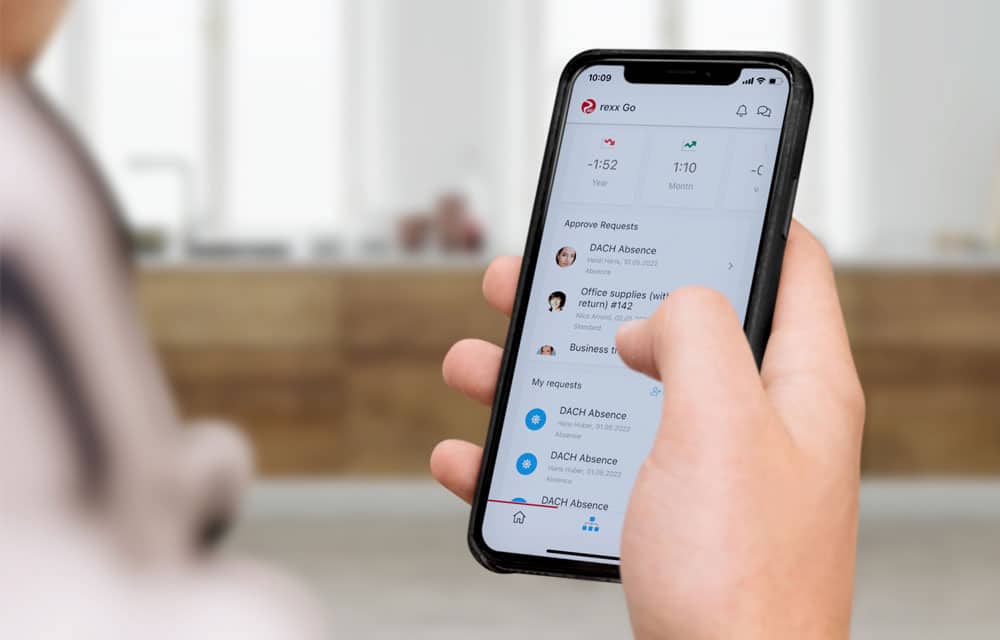
Employees can, for example, submit requests, while managers can approve them immediately. New applications can be viewed right away and feedback can be provided. You always have a full overview of your time balances and absences. You can use the Rexx Go app as a time tracking app and conveniently record your working hours on your mobile device.
To use Rexx Go, the App Connector and an active Self Service Portal are required. The functions available to employees in the app depend on the booked modules and the respective permissions in the Rexx Suite.
Ideal for employees without a fixed PC workstation
With the Rexx Go app, teams in production, healthcare, field service or branch operations can also use central self-service functions – including time tracking, absence requests, push notifications and access to relevant information. This enables processes to be digitalized without the need to provide additional terminals.
Whether company news in the portal stream, important content from the media library or new activities: Rexx Go brings internal communication directly to the smartphone. Employees can read, comment on and like posts, and access relevant information even while on the go.
Intuitive interface
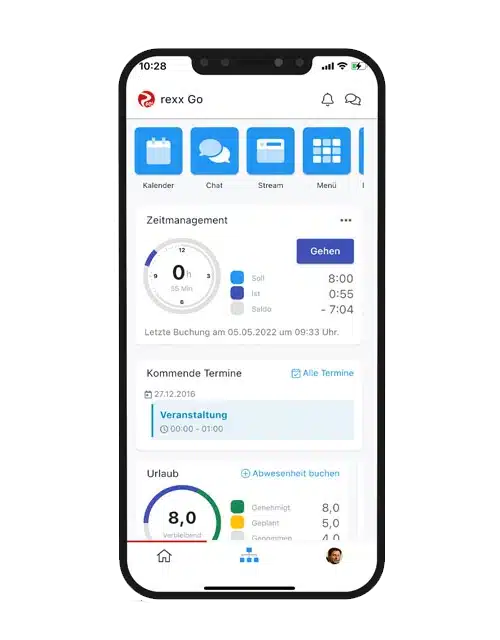
The Rexx Go app has its own start page with the most important functions for your employees:
- Start screen with widgets for time tracking and absences with direct link to the request function, including special bookings and project time tracking
- Complete overview of the hourly balance including time clock function
- All upcoming calendar appointments are clearly visible at a glance
- Global search for direct access to all functions
The start page of the app can be configured using drag & drop, so that each user can set up the most important modules individually. Managers can intuitively approve simple requests via “quick approval”. The global search and quick access to individual menu items through the tiles in the upper area make handling easier.
Secure authentication
Users gain access to the app by scanning a one-time QR code in the Rexx Suite portal. The app automatically syncs with the employee profile, making all data available immediately.
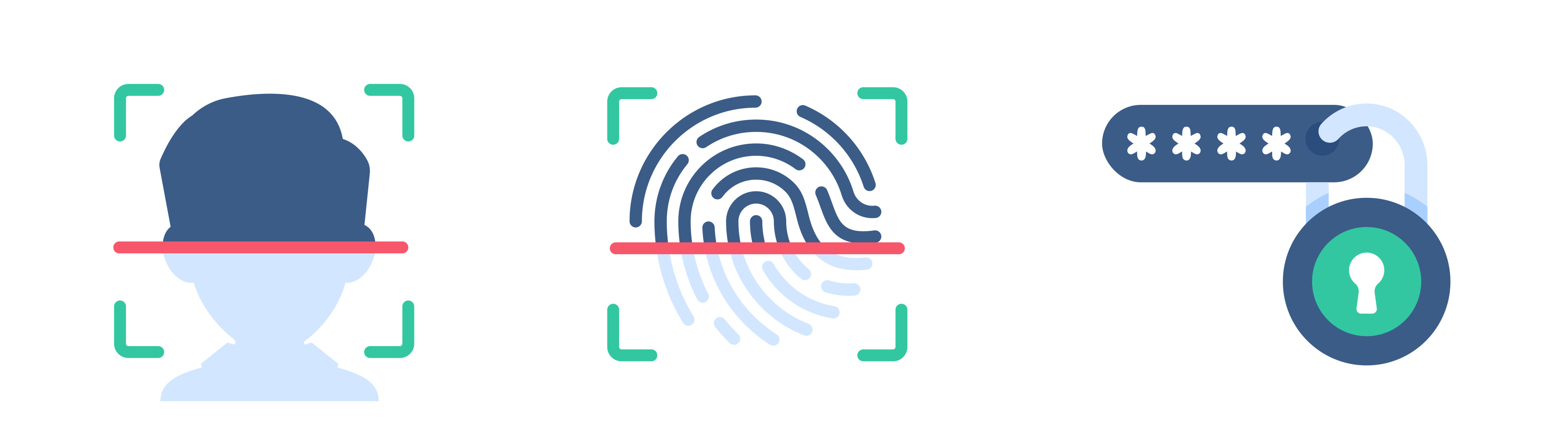
Rexx Go supports QR code linking, PIN protection, biometric unlocking and two-factor authentication. Linked devices can be managed centrally and disconnected when needed. Data and key pairs are stored securely on the device, while communication with the Rexx application is encrypted.
Push notifications and calendar in Rexx Go App
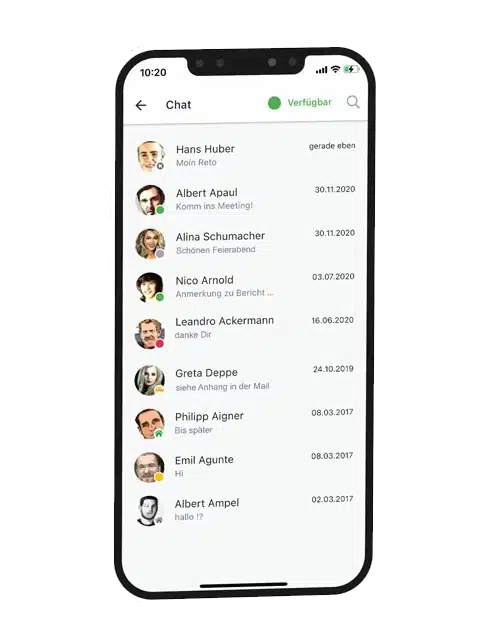
Push notifications inform employees and managers about new posts in the portal stream, messages, documents, chat messages, video calls or requests awaiting approval. Notifications can be customized individually and, depending on the device, may also appear on a smartwatch.
The encrypted Rexx Chat ensures seamless communication with colleagues, including group functions, video conferences and document uploads.
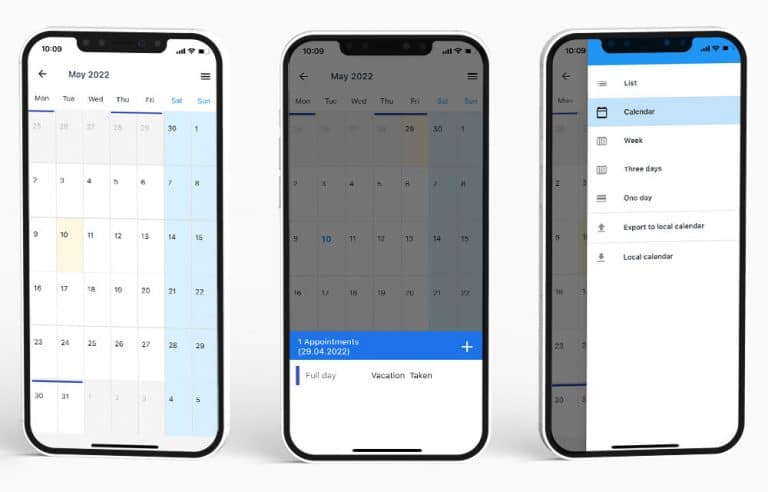
The calendar function also offers maximum convenience: whether on iPhone or Android, appointments can be synchronized in just a few clicks. This allows you and your staff to keep track of everything that is coming up at all times.